A clean Repeat Alarm alternative for Android
Replace cluttered alarm lists and older utility interfaces with one Material 3 setup: pick a start time, an end time, and a repeat interval.
TL;DR
If you are looking for an Android app like Repeat Alarm with a modern, ad-free interface, Repeat Alarm: Clock-It lets you schedule an entire sequence of interval alarms in seconds, preview every exact ring time before saving, and control the whole window with a single toggle.
Clock-It vs. classic Repeat Alarm apps vs. stock Android Clock
Here is how Repeat Alarm: Clock-It compares when you need recurring alarms across a specific part of your day.
Setup model
Repeat Alarm: Clock-It
One screen: start time, end time, repeat interval, date, sound & message
Classic Repeat Alarm apps
Recurring interval rule or reminder setup
Stock Android Clock
Create every single alarm manually one by one
Schedule preview
Repeat Alarm: Clock-It
Shows every exact ring time in a confirmation timeline before finishing
Classic Repeat Alarm apps
Usually shows next ring time only
Stock Android Clock
Shows separate cluttered cards for every alarm
Toggle an entire window
Repeat Alarm: Clock-It
One clean toggle turns the whole sequence on or off
Classic Repeat Alarm apps
Per-alarm toggle
Stock Android Clock
Must toggle 10–30 alarms individually
Design & themes
Repeat Alarm: Clock-It
Material 3 Expressive with light & dark mode
Classic Repeat Alarm apps
Utilitarian / older UI styles
Stock Android Clock
Standard system clock UI
Ads
Repeat Alarm: Clock-It
Ad-free
Classic Repeat Alarm apps
Often ad-supported on free tiers
Stock Android Clock
Ad-free
Sound & loudness
Repeat Alarm: Clock-It
Random or specific sound + optional force-loud volume
Classic Repeat Alarm apps
Custom ringtones / voice alerts
Stock Android Clock
Standard alarm ringtone
| Capability | Repeat Alarm: Clock-It | Classic Repeat Alarm apps | Stock Android Clock |
|---|---|---|---|
| Setup model | One screen: start time, end time, repeat interval, date, sound & message | Recurring interval rule or reminder setup | Create every single alarm manually one by one |
| Schedule preview | Shows every exact ring time in a confirmation timeline before finishing | Usually shows next ring time only | Shows separate cluttered cards for every alarm |
| Toggle an entire window | One clean toggle turns the whole sequence on or off | Per-alarm toggle | Must toggle 10–30 alarms individually |
| Design & themes | Material 3 Expressive with light & dark mode | Utilitarian / older UI styles | Standard system clock UI |
| Ads | Ad-free | Often ad-supported on free tiers | Ad-free |
| Sound & loudness | Random or specific sound + optional force-loud volume | Custom ringtones / voice alerts | Standard alarm ringtone |
One setup. One toggle. Zero alarm clutter.
Instead of tapping through a time picker 15 times—and having 15 separate cards clog your alarm screen—Clock-It treats each time range as one clean unit.
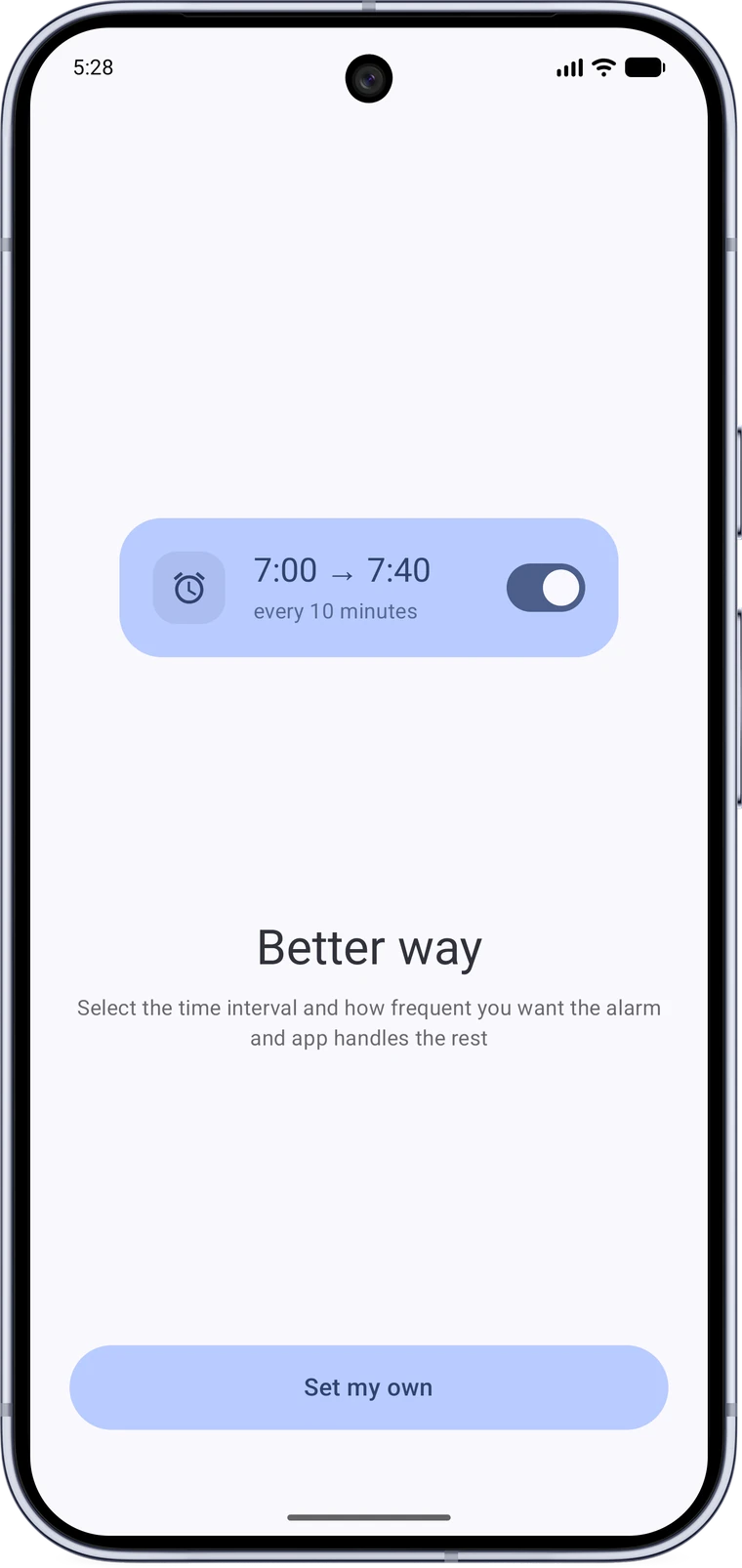
Clean overview
One toggle per sequence
Turn an entire 7:00 → 7:40 every-10-minutes block on or off with one tap.
Fast setup
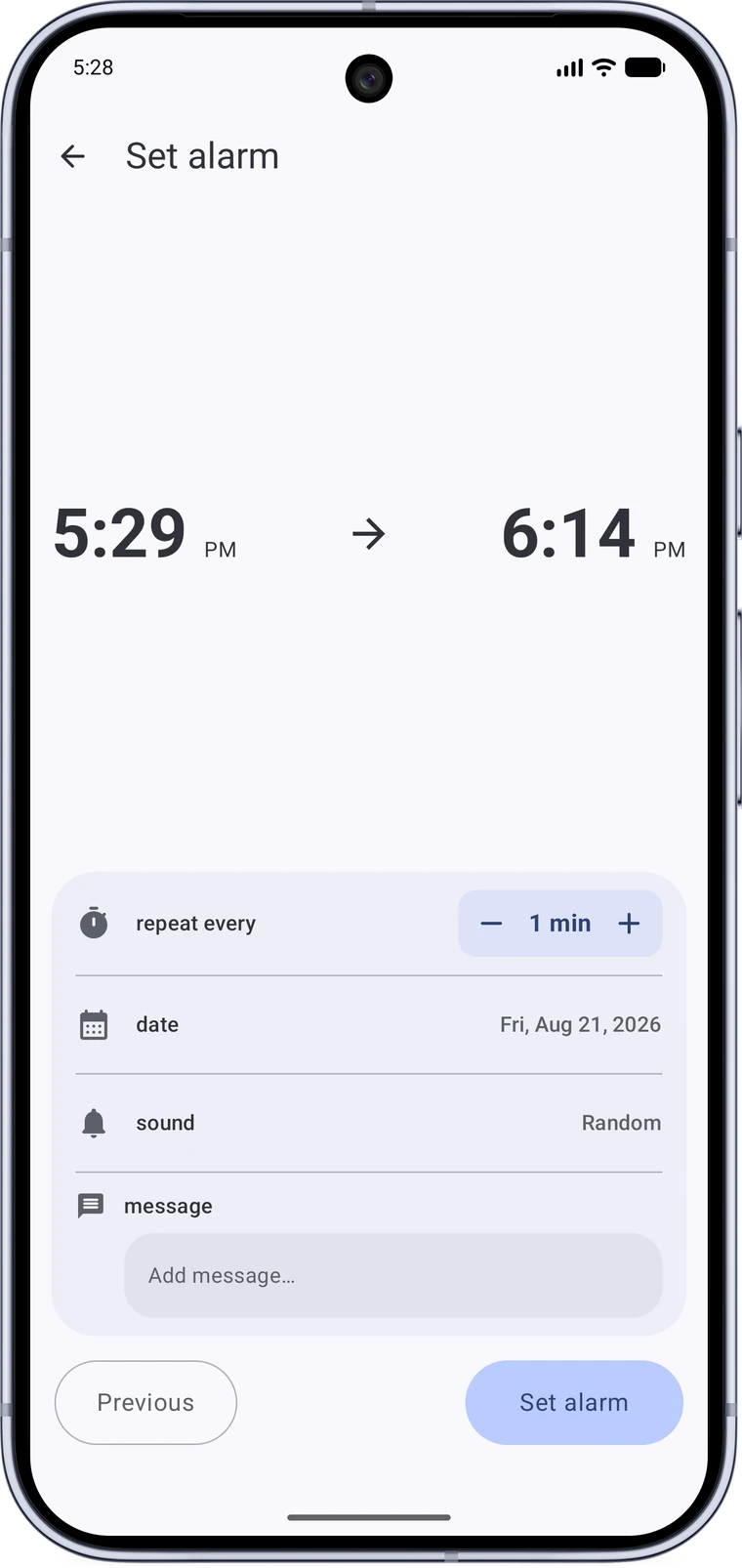
Start, end, and interval
Pick your start time, end time, repeat step, date, sound, and optional label message.
Full clarity
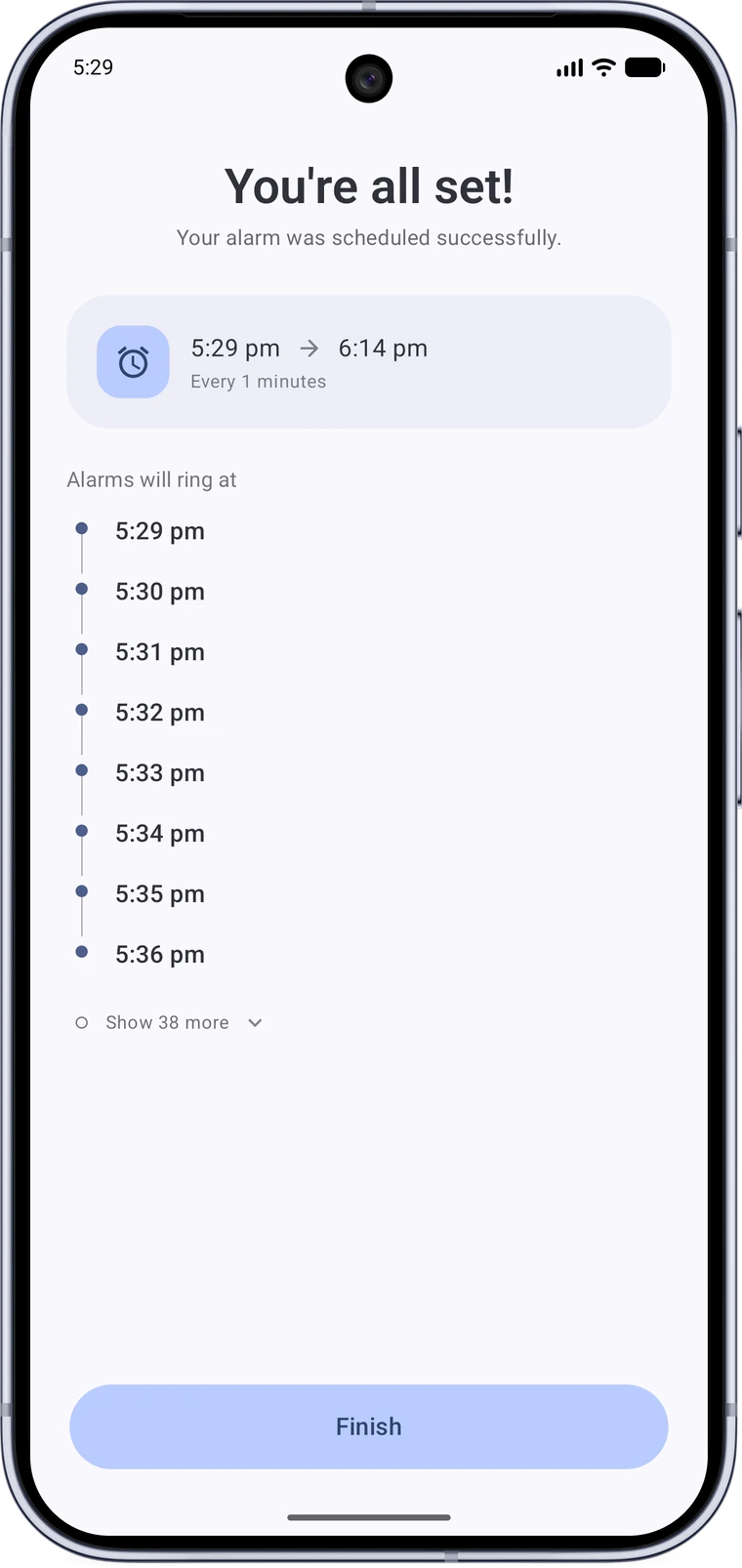
Preview every ring time
Review the exact schedule list before you finish so there are zero surprises.
Where interval alarms shine every day
Heavy sleepers & ADHD mornings
Set 6:00 AM → 6:45 AM every 2 or 5 minutes with random ringtones so you never drift back to sleep between alarms.
Pomodoro & study blocks
Run 25-minute focus intervals across a 3-hour study window without resetting a timer each round.
Medicine & hydration windows
Schedule hourly or multi-hour repeating alarms from morning to evening with a clear label message.
Flights & early shifts
Ring every 10 minutes during the final hour before you need to walk out the door.
When another app may fit better
- You are on iPhone: Repeat Alarm: Clock-It is Android-only.
- You want shared/buddy alarms: Clock-It is a personal device alarm utility without social groups.
- You want wake-up puzzles: Clock-It uses repeating interval rings, random sounds, and force-loud volume rather than math or barcode tasks.
Frequently asked questions
Clock-It focuses on bounded time windows with clean Material 3 design and zero ads. You pick a start time, an end time, and an interval—and Clock-It shows you every ring time up front and groups the entire sequence under a single home-screen toggle.
One setup. Every alarm in between.
Try Repeat Alarm: Clock-It free on Android—ad-free, Material 3 light & dark themes, and one clean toggle per window.
More guides & tools
All guides ›Alarmy Alternative for Android
Compare Repeat Alarm: Clock-It vs Alarmy—ad-free interval alarms instead of missions, paywalls, and clutter.
How to Set Multiple Alarms Automatically on Android
Three practical ways to schedule alarms every 5, 10, or 15 minutes on Android without creating 20 alarms by hand.
Alarm Setup for Heavy Sleepers & ADHD on Android
Use tight interval windows, random ringtones, and force-loud volume so there is no quiet gap to fall back asleep.
Repeat Alarm Interval Calculator
Pick a start time, end time, and repeat interval to preview every exact alarm ring time in your schedule.